Extract Tiles Locally Without Ray
Overview
Problem solved: extract and save tiles from a single slide when you want a small local workflow instead of a distributed Ray dataset.
Use this example when:
- you are prototyping on one slide,
- you need a quick patch dump for inspection or debugging,
- or you want to test tile geometry before scaling out.
Why This Approach
The core tiling primitives do not require Ray.
You can combine grid_tiles with OpenSlide.read_tile to build a lightweight local extraction loop.
Bundled example input
The green outline on the left represents an annotation region. The blue boxes show six example tile locations selected from that annotated region, and the right panel shows the corresponding locally saved crops.
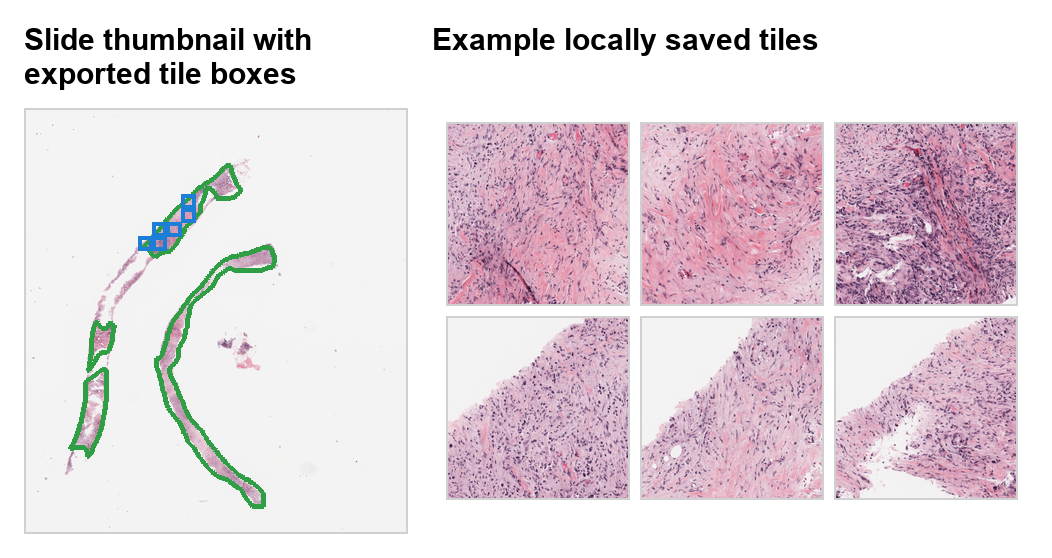
grid_tiles plans tile coordinates first, then a few representative crops are written to disk for inspection. In this demo figure, the annotation outline provides context for where those sample tiles were taken.
Example
from pathlib import Path

from PIL import Image

from ratiopath.openslide import OpenSlide
from ratiopath.tiling import grid_tiles

output_dir = Path("local_tiles")
output_dir.mkdir(exist_ok=True)

with OpenSlide("slide.svs") as slide:
    level = slide.closest_level(0.5)
    extent_x, extent_y = slide.level_dimensions[level]

    saved = 0
    for i, (x, y) in enumerate(
        grid_tiles(
            slide_extent=(extent_x, extent_y),
            tile_extent=(512, 512),
            stride=(512, 512),
            last="shift",
        )
    ):
        tile = slide.read_tile(
            x=x,
            y=y,
            extent_x=512,
            extent_y=512,
            level=level,
        )

        if tile.std() <= 8:
            continue

        Image.fromarray(tile).save(output_dir / f"tile_{i:05d}.png")
        saved += 1

        if saved == 64:
            break
Under the hood
grid_tiles only generates coordinates.
The actual image IO happens inside read_tile.
That keeps the local workflow easy to reason about because you can debug the coordinate plan and the pixel reads separately.
In this example, last="shift" keeps edge tiles inside the selected level extent.
That is usually the safest choice for local extraction when you want consistent tile size on disk.
When To Prefer This Over Ray
Use the local path when:
- the slide count is small,
- you want to inspect outputs manually,
- or cluster scheduling overhead would dominate the workload.
Use the Ray path when:
- you need to process many slides,
- you need enrichment from annotations or overlays at scale,
- or you want to persist slide and tile metadata tables for reproducibility.